Quickstart
Get up and running with Recurse in under 5 minutes
This guide walks you through the prerequisites and helps you choose the right path to get started with Recurse. Whether you want a no-code interface, programmatic API access, or automatic context injection, we've got you covered.
Prerequisites
Before you begin, you'll need these three things:
Get an AI Provider Key
In order to parse documents into your knowledge base, you will need an API key for an AI model provider. Recurse works with any OpenAI-compatible provider. Get a key from:
- OpenAI for GPT models
- Anthropic for Claude
- DeepSeek for DeepSeek models
- OpenRouter for access to multiple models
Bring Your Own Key: While in beta, Recurse operates on a bring-your-own-key basis. You use your own AI provider keys, and we handle the context injection and knowledge management. Not sure which provider or model to choose? Check our model comparison guide to understand the tradeoffs.
Sign Up for Recurse
Create your Recurse account. This gives you access to the chat interface, API, and proxy.

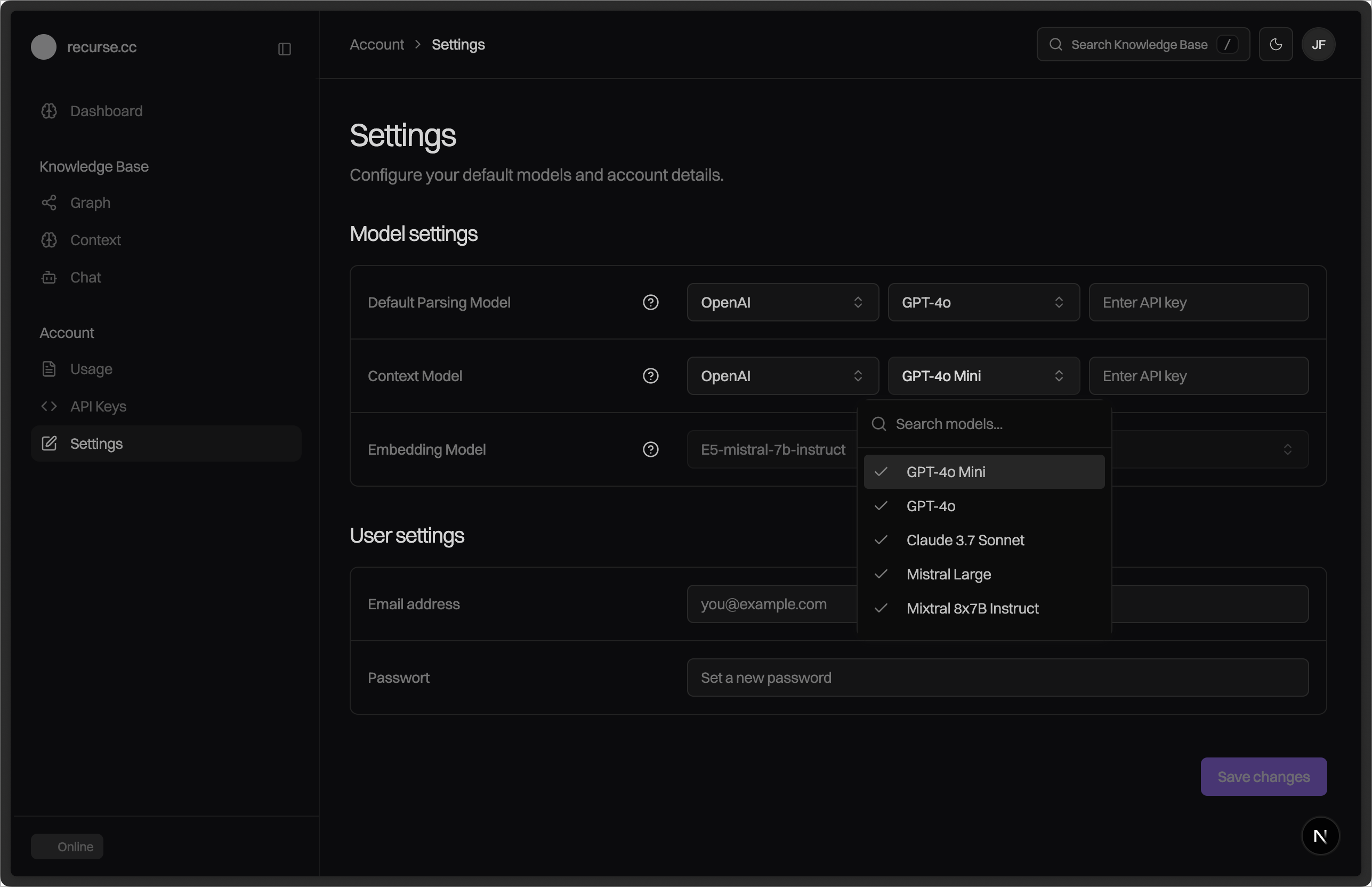
Configure Your AI Provider Key
Once signed up, navigate to your settings and add your AI provider key. This enables the chat interface and proxy to make requests on your behalf.
Choose Your Path
Now that you're set up, choose how you want to use Recurse:
User Interface
No code required.
Upload files via chat or dashboard, query your knowledge conversationally, explore the graph interface. Best for: researchers, writers, anyone exploring without coding.
API vs Proxy
Not sure which to use?
Understand the difference between direct API access and proxy-based context injection. This guide helps you choose the right approach for your use case.
Using the API
Full programmatic control.
Upload sources, search your knowledge graph, navigate relationships, retrieve frames. Best for: custom applications, advanced integrations, agent builders.
Using the Proxy
Easiest integration.
Change one line of code to add automatic context injection to existing applications. Best for: quick integration, existing AI apps, minimal code changes.
Common Questions
Need Help?
- Documentation: docs.recurse.cc
- Community: Discord
- Support: support@recurse.cc